Standard data setup
In addition to the parameters of the Electronic Document Setup page, for the correct operation of the app it is necessary to complete some configurations on standard Business Central entities. The pages described below are also accessible from the actions of the setup page and from the assisted setup.
Payment methods and payment terms
In the payment methods, the Fattura PA Payment Method field must be populated with a mapping code, to be selected among those provided by the Italian Revenue Agency, which is inserted by the system in the XML file.
Similarly, in the payment terms the Fattura Payment Terms Code field must be populated.
The mapping values can be generated through the assisted setup or through the actions of the Mapping group of the Electronic Document Setup page.
VAT transaction nature
In the VAT Posting Setup page it is necessary to specify the VAT transaction nature value on all the combinations where the VAT is 0%, to indicate the reason of the exemption according to the allowed values. Missing values cause the rejection of the document by the SdI.
Document types
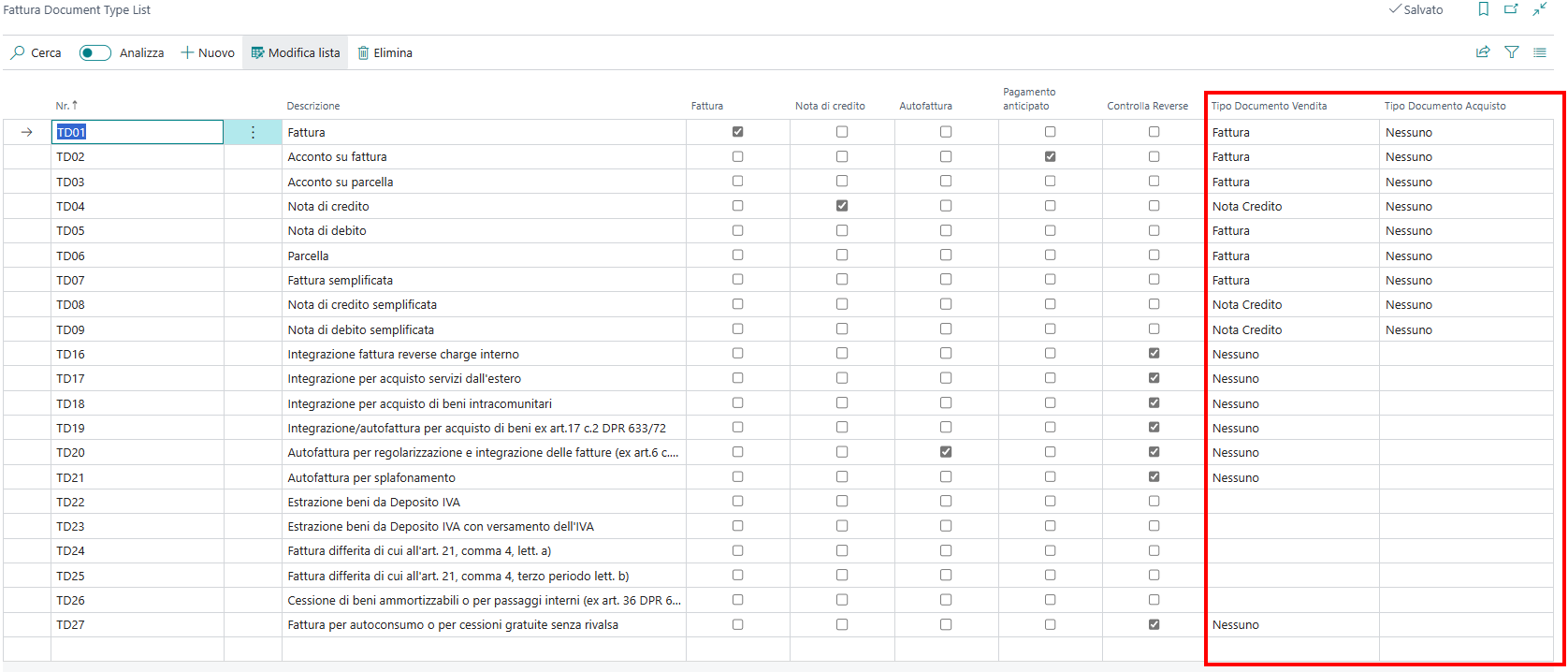
In the Fattura Document Type List page it is possible to specify, for each document type code (for example TD01, TD04), to which document type it can be associated and whether it can be used for sales or purchase documents. During posting, the system verifies whether the document type associated with the document is allowed according to the configurations.
For the Sales Document Type and Purchase Document Type fields the following options are available:
Invoice: the document type can be associated only with invoices.
Credit Memo: the document type can be associated only with credit memos.
None: the document type cannot be associated with invoices nor with credit memos.
Empty: the document type can be associated both with invoices and credit memos.
Countries
The sending of the electronic document is activated only for the invoices posted for countries that have a check mark in the Send electronic document field, unless the sending for all countries is enabled through the Send for All Countries field of the Electronic Document Setup (recommended configuration).
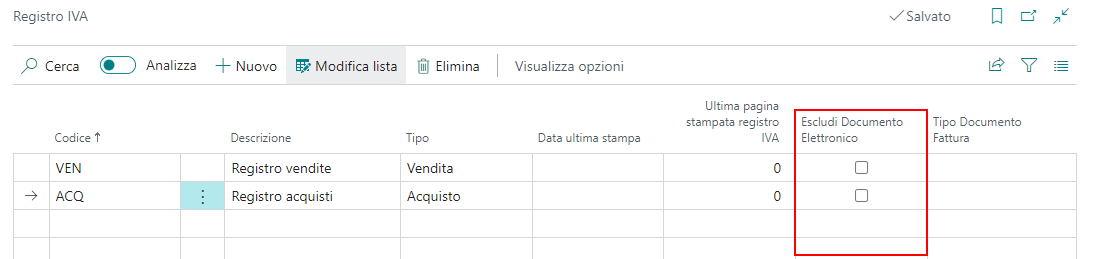
VAT registers
The sending of the electronic document is activated for all documents, except those posted on specific VAT registers that have a check mark in the Exclude Electronic Document field.
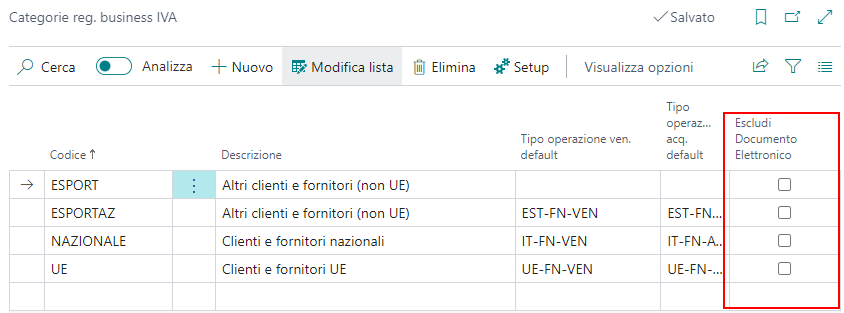
VAT business posting groups
The sending of the electronic document is activated for all documents, except those posted with a VAT business posting group that has a check mark in the Exclude Electronic Document field.
Customer card
PA Code
The unique code of the customer for electronic invoicing must be assigned in the PA Code field, available in the customer card:
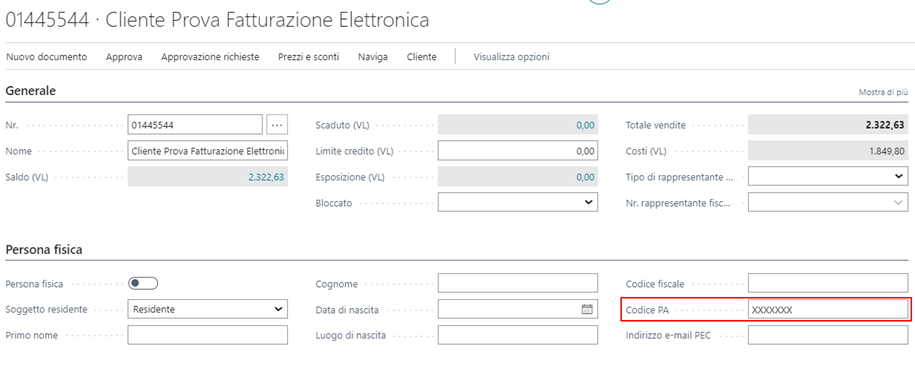
The field must be populated as follows:
6 character code: office unique code for Public Administrations.
7 character code: unique code for B2B.
7 character code with value "0000000": B2C natural person, or company without a unique code. In this case the PEC address of the customer, if any, must be specified in the dedicated field of the card.
7 character code with value "XXXXXXX": foreign party.
Self invoice customer
The Self Invoice Customer field is available in the customer card, to indicate that documents issued to this customer must be sent with the self invoice document type (TD20).
In general, when a document is issued to a customer having the same VAT registration number configured in the company information (including the country code), the document type having the self invoice flag in the Fattura Document Type List page is automatically set.