Bank transactions
Bank transactions are imported with the standard features of Business Central.
Manual import
From the Payment Reconciliation Journals page use Import Bank Transactions and select the bank account, then choose the period of the transactions to download.
The period proposed is based on the Transaction Import Timespan of the bank account card. The start date cannot be earlier than the history the bank makes available, shown on the bank account link. Banks usually limit the number of downloads per account per day (typically 4), so avoid repeating the import of the same period.
The transactions are imported into the journal or the reconciliation chosen in the bank account link.
Automatic import
The automatic import is scheduled from the Banking Central Setup page with Schedule Automatic Import, which creates the job queue entry. Set the recurrence of the job and activate it.
The job imports the transactions of all the bank accounts with Automatic Import enabled in their bank account link, then updates the bank balance of all the linked bank accounts, once a day.
- The first run downloads the transactions of the current day.
- The following runs download the transactions from the last import to today, or to yesterday if Import Window End is set so on the link. Import Overlap Days in the setup extends the period backwards, for banks that book transactions late; the transactions already imported are discarded.
To import older transactions, use the manual import once.
The Run Import Now action on the role center runs the same import immediately.
Duplicates and other currencies
With Prevent Duplicate Transactions enabled, a transaction already present in a journal or in a posted reconciliation, identified by the id assigned by the bank, is not imported again. A transaction with the same date and amount of a line imported in another way, for example from a file, is not imported either; if several such lines exist, the transaction is imported and marked as Possible Duplicate in the journal.
Transactions in a currency different from the currency of the bank account card are not imported; they are listed in the statement with the state Other Currency.
Statements
Every import is saved as a statement, listed on the Banking Central Statements page reachable from the setup, with the period, the totals and the state of every transaction: imported, posted, skipped or in another currency.
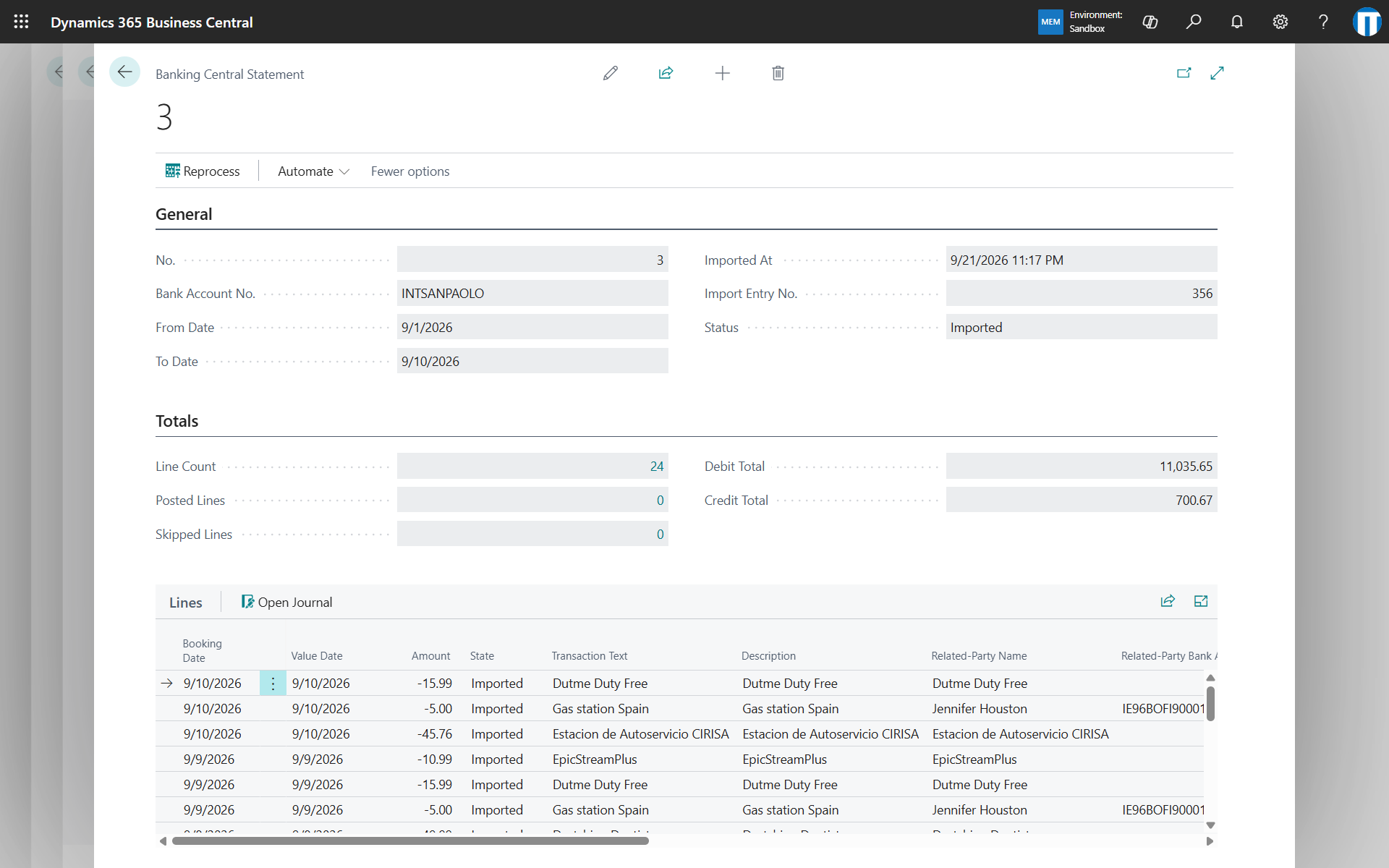
The statement keeps the original data received from the bank. Reprocess recreates the open journal lines of the statement from that data, for example after changing the transaction codes, without downloading again from the bank. The recreated lines are not applied: choose Apply Automatically in the journal afterwards. Open Journal on a statement line opens the journal that contains it.
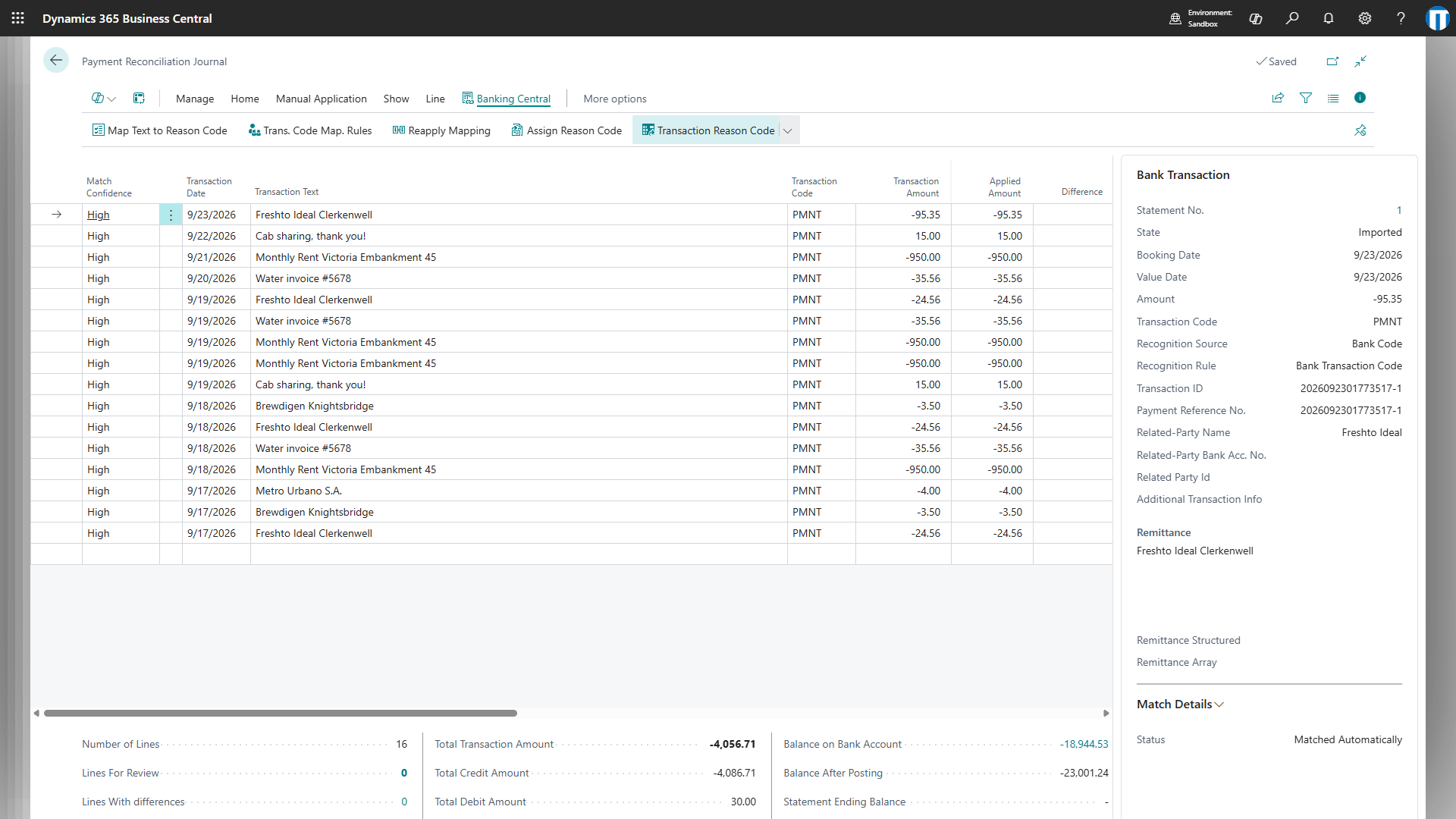
The Bank Transaction FactBox on the payment reconciliation journal and on the posted reconciliations shows the details of the transaction of the selected line, including the full remittance text sent by the bank. The posted reconciliation lines keep the transaction text and the transaction code of the journal lines.
Statements can be deleted with the standard retention policies.
Posting from the journal
With Enable Posting Actions in the setup, the payment reconciliation journal has two additional actions:
- Post Application: posts the selected line, which must be fully applied, leaving the other lines in the journal.
- Post Difference: transfers a line with a difference to a general journal, for example to post it with VAT or on several accounts. When the general journal is posted, the line is applied automatically to the resulting bank ledger entry.
The general journal used is set in General Ledger Setup (Bank Acc. Recon. Template Name and Bank Acc. Recon. Batch Name).