Bank connections
The connection to the bank is established through Open Banking. During the connection you authenticate with the bank and grant Banking Central a read-only access to the account data.
The connection stays valid for the period granted by the bank, up to 180 days, or until it is revoked by the bank or by the user. After that, the connection must be renewed by logging in to the bank again.
Link a bank account
The connection is started from the bank account card with the Link to Online Bank Account action, or from the Banking Central Setup page with Link Banks, which lists the bank accounts not linked yet.
Select the bank to connect to. The list shows the banks available for the enabled countries, with the days of history they return; by default the country of the company is enabled, other countries can be enabled from the setup with Select Enabled Markets.
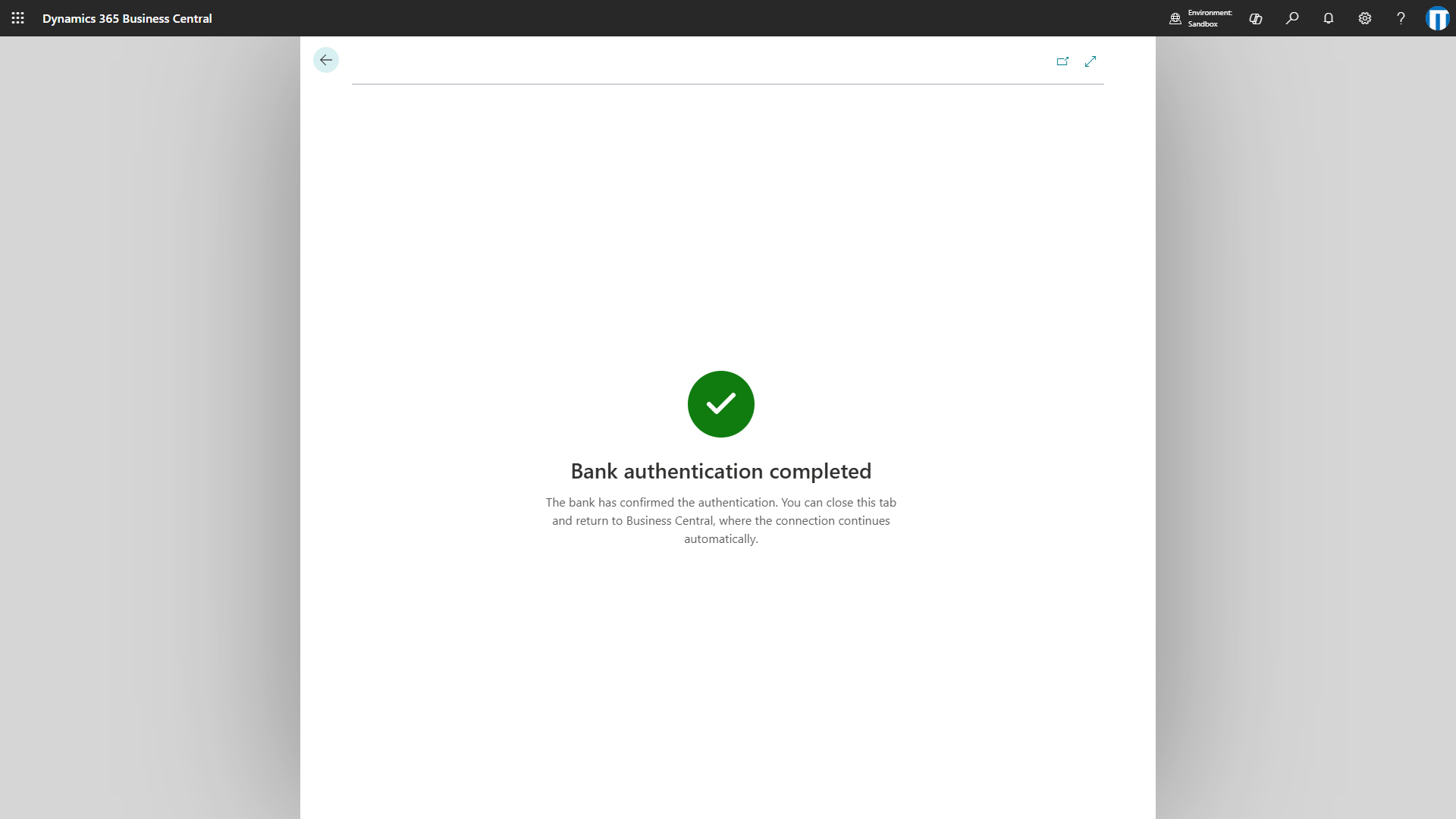
The bank page opens in a new browser tab. Complete the authentication with your online banking credentials and authorize the access. When the bank confirms, the tab shows Bank authentication completed and can be closed.
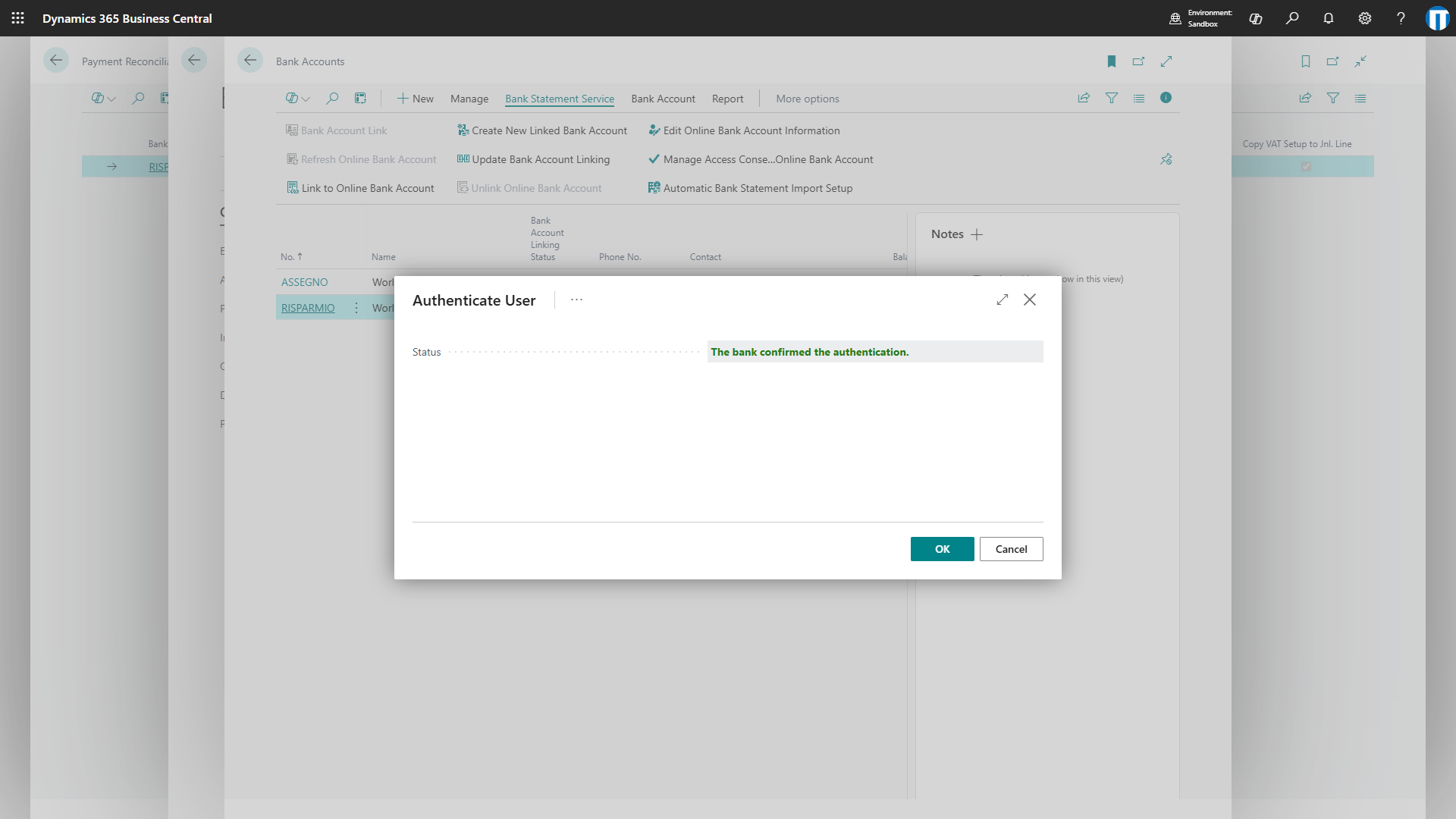
Meanwhile the Authenticate User page in Business Central waits for the confirmation of the bank and continues automatically: when the status shows The bank confirmed the authentication., choose OK. If the bank page did not open or was closed, choose the link on the page or Open Bank Page Again; Check Now checks the confirmation immediately. Without a confirmation within 10 minutes the page stops waiting, and Open Bank Page Again retries.
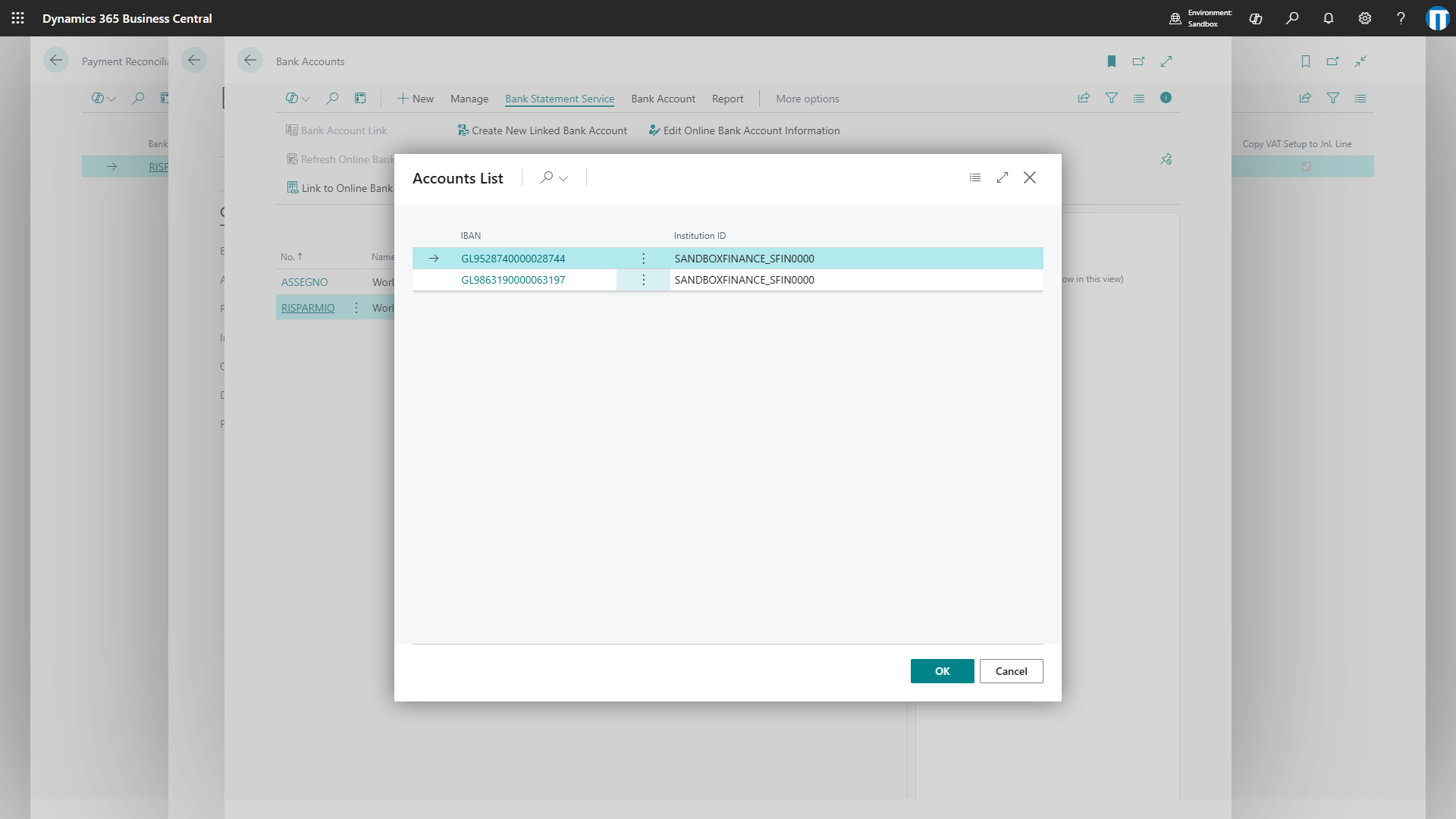
When the bank confirms, the list of the accounts available at the bank is displayed: choose the account to link. The account with the same IBAN of the bank account card is proposed.
Link to an existing connection
If another bank account of the same bank is already connected, Link to Existing Connection on the bank account card links the new account without a new bank login. The bank account shares the connection and its expiration date, and renewing one of them renews all.
Use it for accounts held in several currencies: one bank account card per currency, all linked to the same account at the bank. Each card receives only the transactions in its currency.
Bank account link
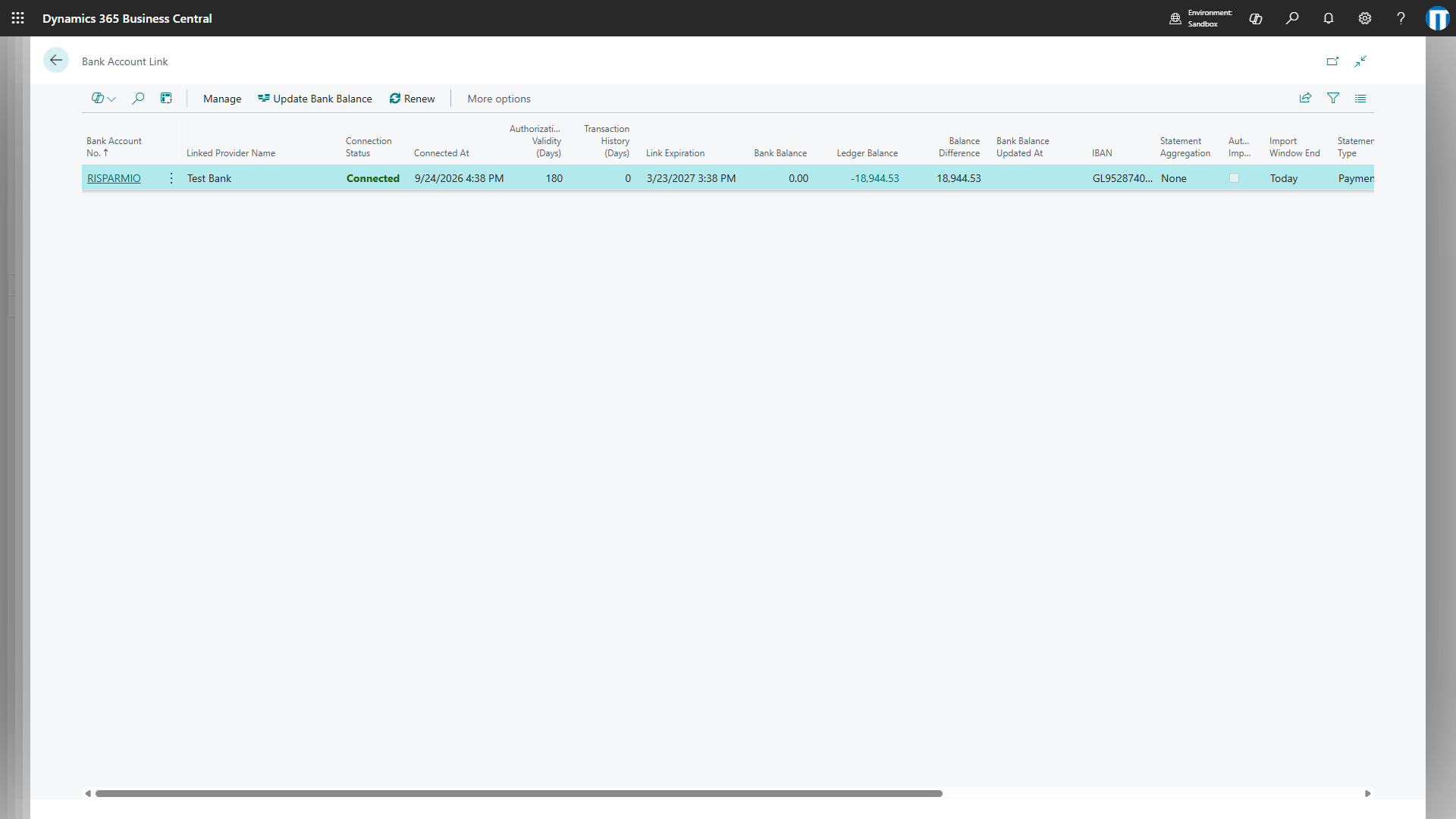
The Bank Account Link page, reachable from the bank account card or from the setup, lists the linked bank accounts with the status of their connection.
- Connection Status: Connected, Expiring, Expired, Pending or Not Linked.
- Connected At and Authorization Validity (Days): when the connection was made and for how many days the bank granted it.
- Transaction History (Days): how far back the bank returns transactions.
- Link Expiration: the date the connection expires.
- Bank Balance: the balance reported by the bank at the last update, next to the ledger balance of the bank account and their difference. The balance is updated by the automatic import or with Update Bank Balance.
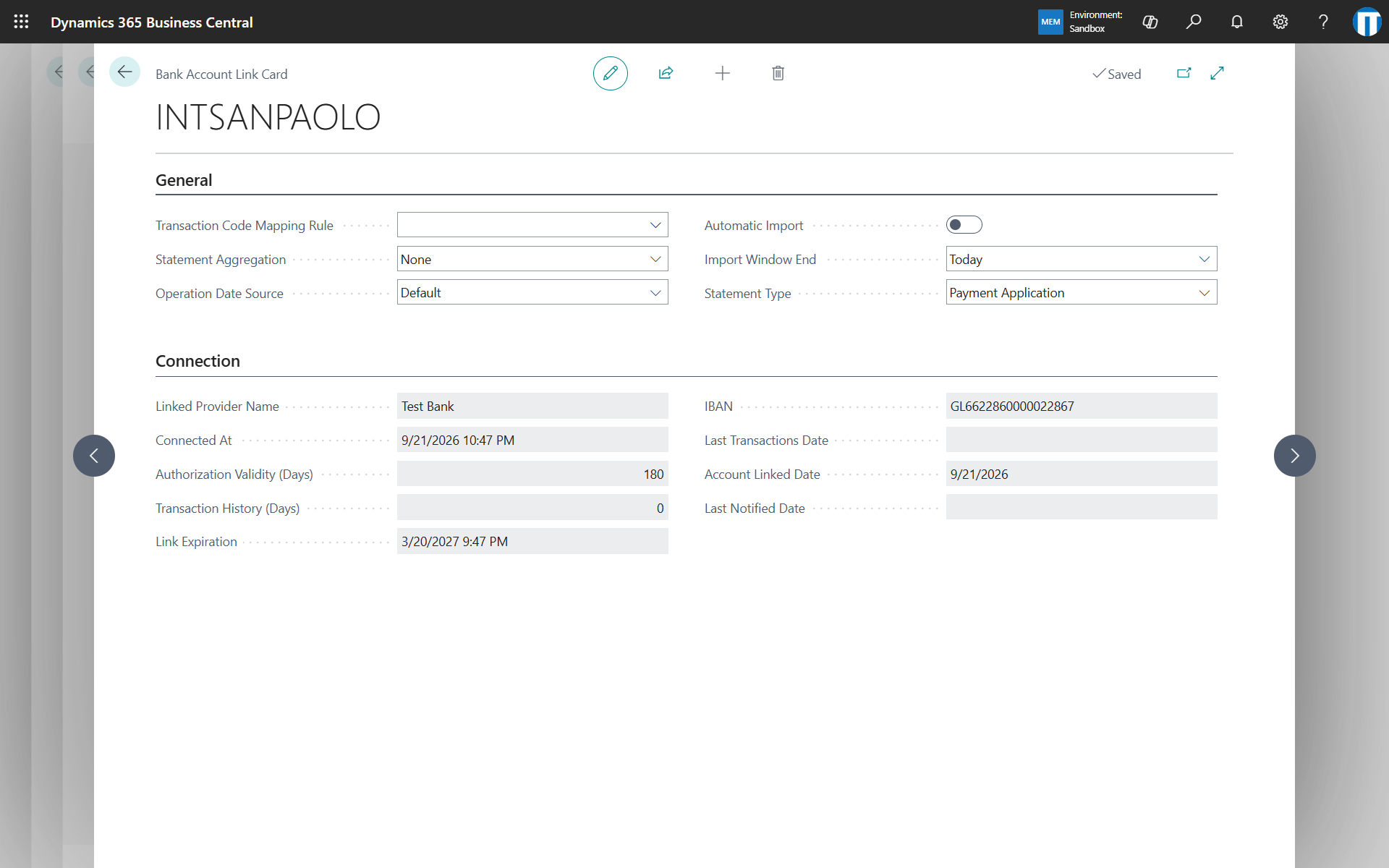
The settings of each link are on the Bank Account Link Card:
- Automatic Import: includes the bank account in the automatic import.
- Import Window End: whether the automatic import asks the bank for the transactions up to today or up to yesterday. Use yesterday for banks that book transactions overnight.
- Statement Type: whether the transactions are downloaded into the payment reconciliation journals or into the bank account reconciliations.
- Statement Aggregation: how the transactions are grouped into statements: no aggregation, the existing open statement, or one statement per day, week or month.
- Operation Date Source: overrides the setup choice between booking date and value date for this bank account.
- Transaction Code Mapping Rule: the rule used to read the transaction text and codes from the data returned by the bank, see transaction codes.
Renew a connection
An expiring or expired connection is renewed with Renew on the Bank Account Link page, or from the link in the expiry notification email. The renewal repeats the bank login and keeps the settings of the link. When a manual import fails because the connection expired, the error message offers Renew Connection directly.
Expiry notifications
An email can be sent when a bank connection is about to expire: every day from the number of days set in No. of Days For Notification in the setup, once at the expiration, then weekly until the connection is renewed. The email contains the link to renew the connection.
To set it up:
- Configure an email account in Business Central (Email Accounts), if not done yet.
- Open Notification Setup from the Banking Central Setup page and add the recipients: a user or an email address, for a specific bank account or, leaving the bank account empty, for all of them.
- Choose Schedule Notification to create the job queue entry, then set its recurrence and activate it.
If a connection expires and no recipient is configured, a warning is written in the activity log.
Bank connections page
The Bank Connections page, reachable from the setup, lists the connections established with the banks.
- Refresh from Provider: updates the status and the expiration of the connections from the bank.
- Delete Bank Connection: revokes the connection. The linked bank accounts are unlinked.
- Export Connections and Import Connections: save the selected connections with their bank account links to a file, and load them in another environment of the same tenant. Links are restored on the bank accounts with the same IBAN. This avoids repeating the bank logins after copying a production environment to a sandbox.
Sandbox environments
When a production environment is copied to a sandbox, the bank connections, the bank account links and the scheduled jobs are removed from the copy, so the sandbox never imports transactions with the connections of the production. A sandbox can hold one bank connection, and the status of its connections is not refreshed from the bank.
A connection established in a sandbox, for example during a trial, can be moved to production without a new bank login: choose Export Connections on the Bank Connections page of the sandbox, then Import Connections in production. The links are restored on the bank accounts with the same IBAN, so the bank account cards must exist in production before the import. Afterwards the connection in the sandbox can be deleted.