License
Banking Central requires an active license, which allows the app to connect up to 3 bank accounts in a single Business Central tenant. Each linked bank account counts as one bank connection. If you need more, additional bank connections can be activated.
A 30-day trial can be started once per tenant, with all the features enabled and up to 3 bank connections. No payment method is required to start it.
The pricing is as follows, VAT excluded (see also the pricing page of the website):
- Base license: 40 euros/month or 400 euros/year, for up to 3 active bank connections.
- Additional bank connections: 10 euros/month or 100 euros/year each.
Payment is made by credit card through the online subscription. With yearly billing, payment by invoice and bank transfer is also available: write to [email protected]: after the payment a license key is provided for the activation.
The license is managed from the Banking Central License page, reachable from the setup or from the assisted setup.
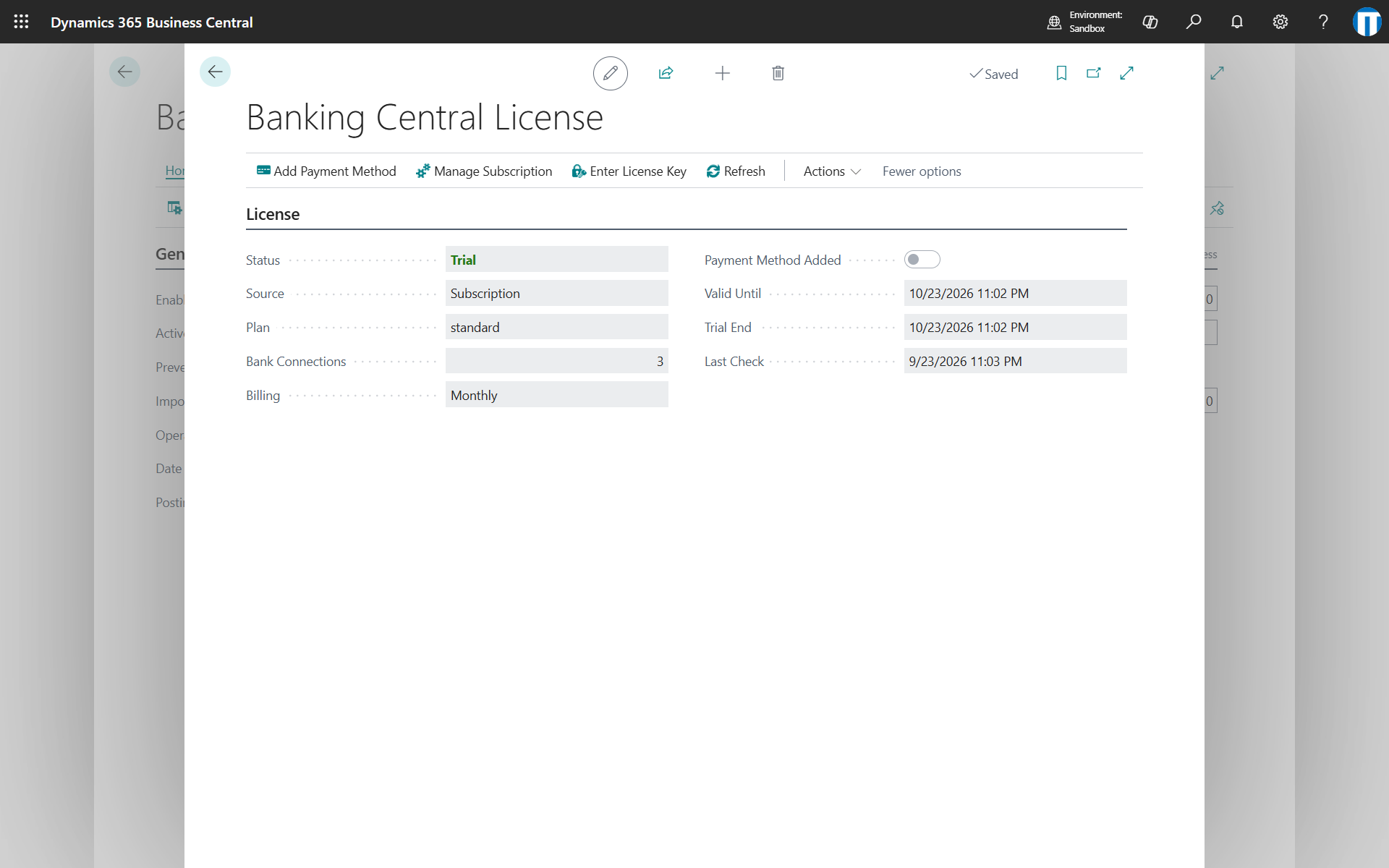
The page shows the status of the license, the plan, the number of bank connections allowed, the billing period and the expiration date.
Start the trial
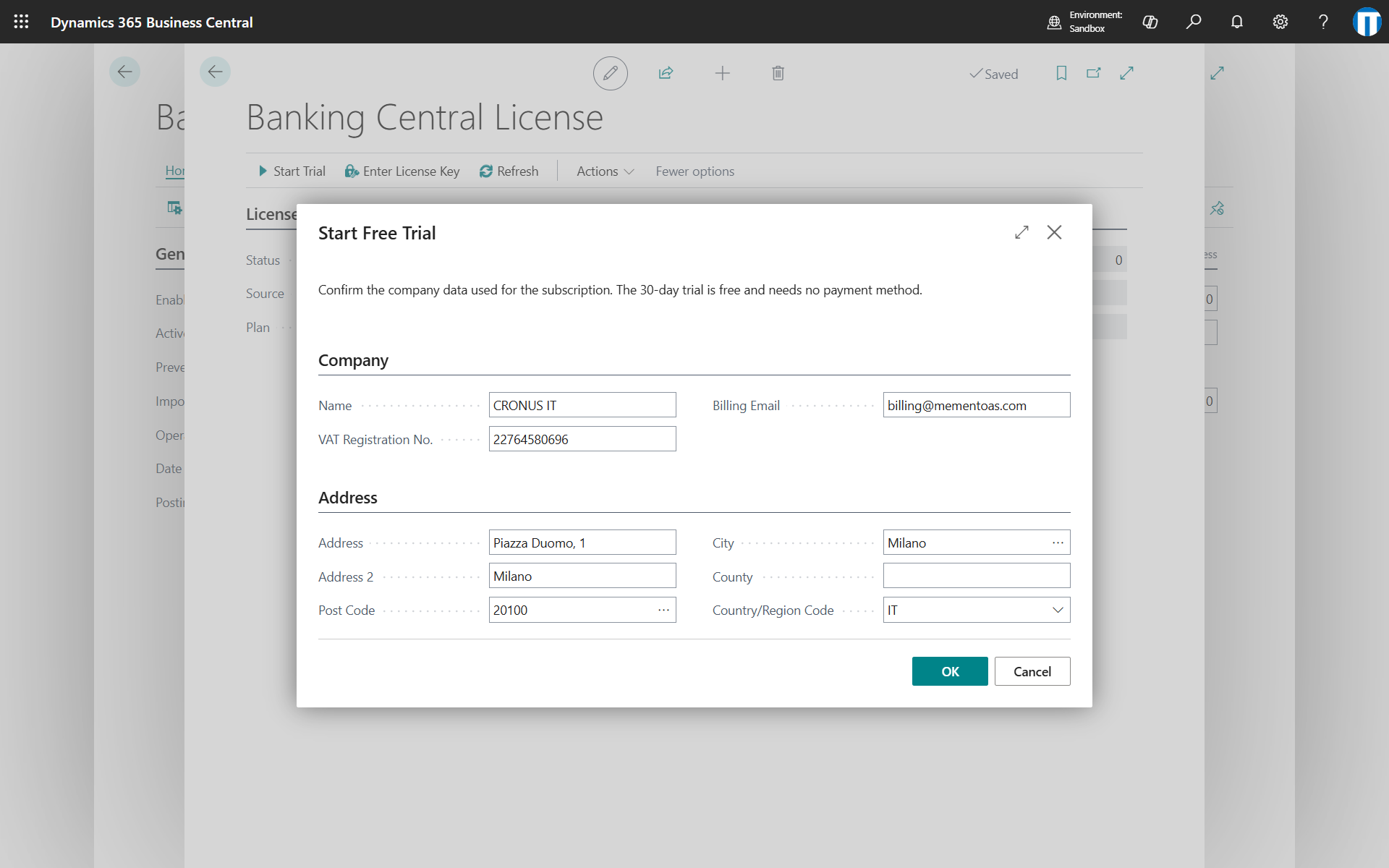
Start Trial asks to confirm the company data used for the subscription and printed on the invoices: name, VAT registration number, billing email and address, taken from the company information. The trial starts immediately.
Add a payment method
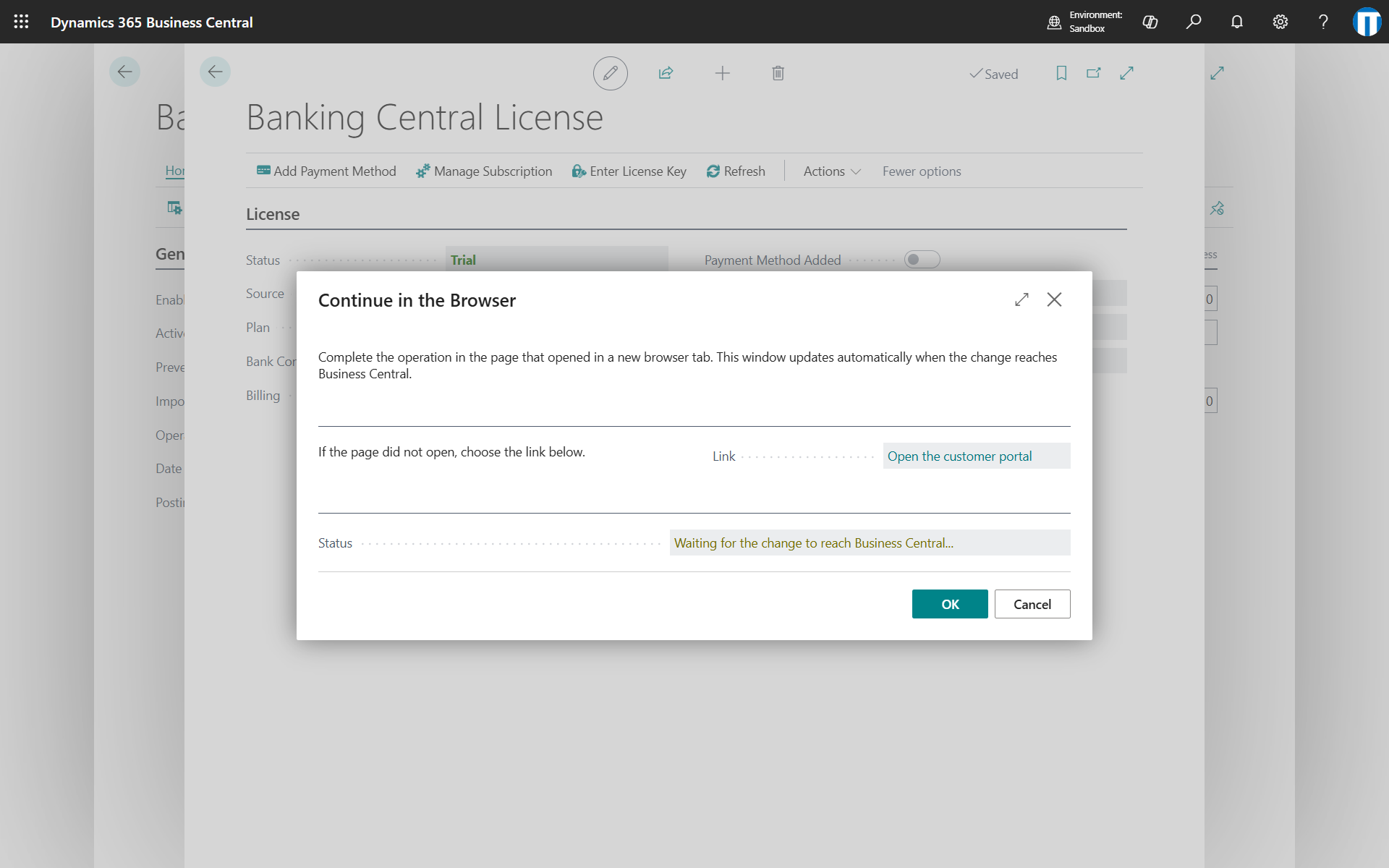
Add Payment Method opens the customer portal in a new browser tab, where you enter the credit card. The trial continues, and the subscription starts automatically at its end. Payments are securely processed by Stripe.
If the trial ends without a payment method, the license is Paused and the app stops working until a payment method is added.
Add bank connections
Change Bank Connections opens the customer portal, where you set the total number of bank connections, 3 included. The change applies immediately: additional connections are charged for the rest of the period, removed ones are credited on the next invoices.
The action is available once a payment method has been added. During the trial, changing the subscription ends the trial and starts the paid subscription.
Switch to yearly billing
Choose Change Bank Connections and select the yearly price in the customer portal. The change applies immediately and the rest of the current month is credited. In the same way you can switch back to monthly billing.
Manage subscription
Manage Subscription opens the customer portal, where you can download the invoices, change the payment method or the invoicing details and cancel the subscription. A cancelled subscription remains active until the end of the paid period.
License key
Enter License Key activates the license with a key received from Memento. A key can be used in a single tenant.
Sandbox environments
Sandbox environments of the tenant share the license of the production environment.